🚨

Critical Security Migration

The luigisbox.com domain is compromised. Immediate action is required.

1. Update API Base URLs

Replace the base URL for all API requests (Search, Recommendations, Analytics):

https://live.luigisbox.com
➡️ https://live.luigisbox.tech

2. Replace Frontend Script

The .com script is no longer safe. Replace it with the secure version immediately:

[OLD - Delete from site]
<script async src="https://scripts.luigisbox.com/LBX-123.js"></script>
[NEW - Secure Version]
<script async src="https://scripts.luigisbox.tech/LBX-123.js"></script>

3. Update CSP & Firewalls

If you use a Content Security Policy, whitelist the new domain to prevent the browser from blocking the connection.

script-src https://scripts.luigisbox.tech;
connect-src https://live.luigisbox.tech;
⚠️
Emergency Action: If you cannot update the code right now, remove the existing Luigi's Box script until the migration is complete to prevent unauthorized code execution.

Support: support@luigisbox.net MODIFIED: 12/17/2025

Debugging

To ease the debugging of analytics events you can use the Session explorer screen in the Luigi's Box application. This screen shows a real-time overview of all sessions which are in-progress and not yet flushed to Luigi's Box analytics. The screen shows you the list of sessions and a view of all events associated with that session.
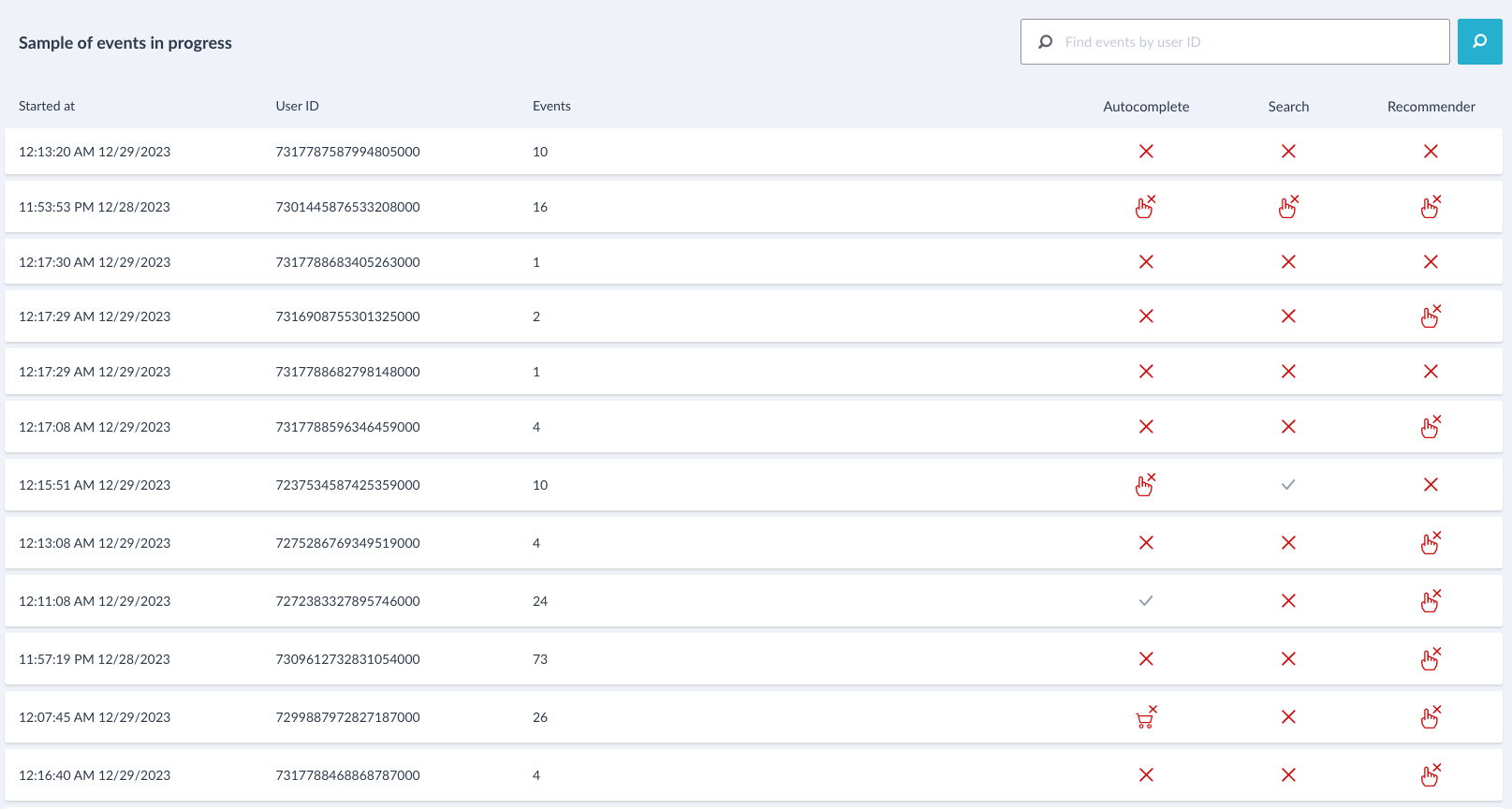
Session explorer

Click the session to explore individual events.
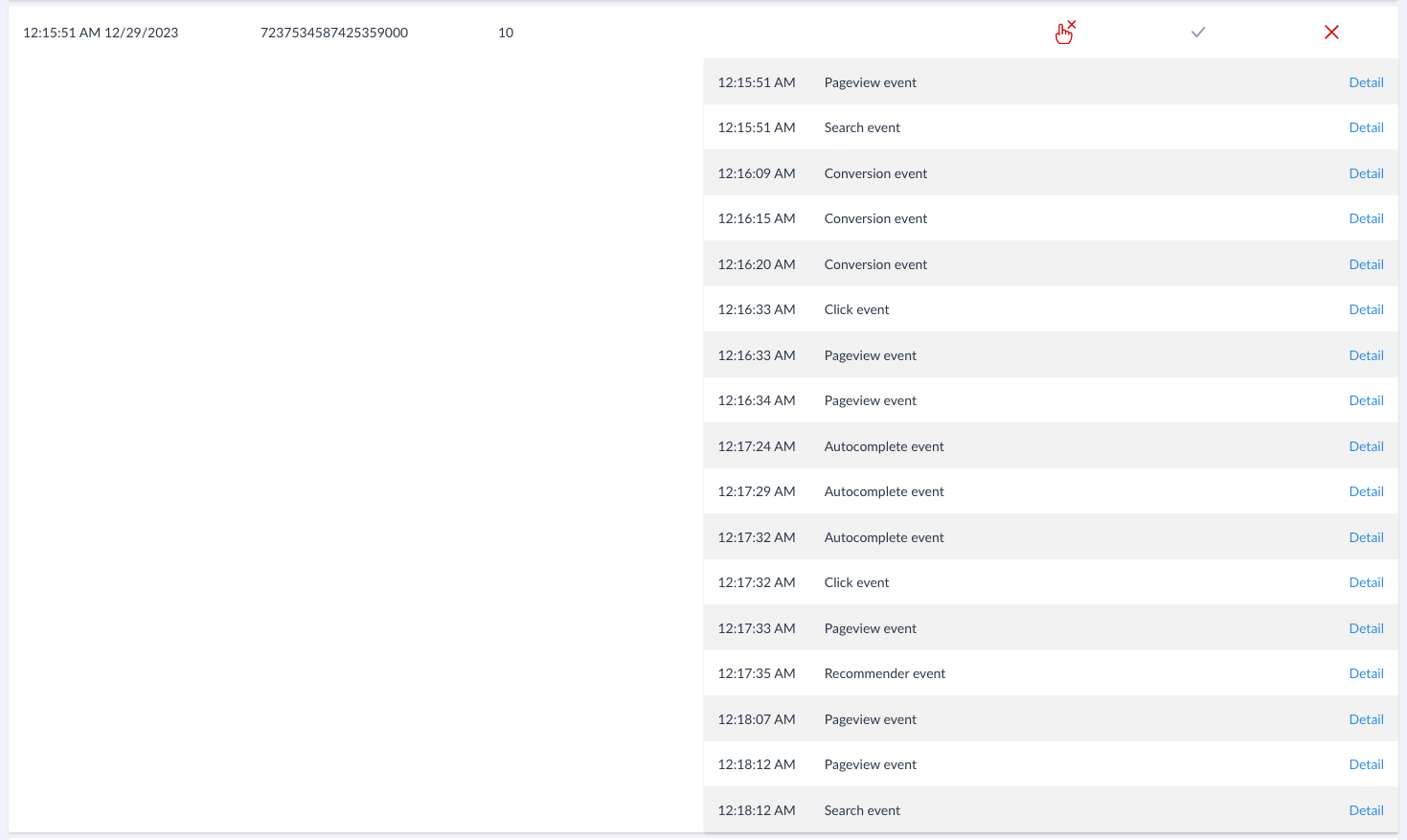
Session explorer

You can find the session explorer in the "General settings" menu.

Session explorer menu